How It Works
From regulatory data to distribution intelligence
DOT Intel follows a four-stage pipeline that turns raw FMCSA filings into the signals your team needs.
Ingest
FMCSA regulatory filings, carrier authority records, insurance history, and fleet census data flow into DOT Intel daily.
Normalize
Raw data is cleaned, deduplicated, and structured into carrier profiles, fleet records, and market segments with full audit trails.
Analyze
Algorithms surface patterns: appetite shifts, competitive movements, cancellation trends, and territory opportunities.
Alert
Actionable signals are delivered as alerts and intelligence feeds to the teams and workflows where decisions happen.
Capabilities
What we do with FMCSA data
DOT Intel turns federal regulatory filings into the underlying capabilities that power distribution, prospecting, and underwriting workflows.
Command CRM + Lead Capture
A built-in CRM for the 1–15-seat agency: personal capture links that land verified, auto-populated leads (each carrying the carrier's full data for custom emails and letters), a drag-and-drop pipeline board with per-stage value, tasks, and Today's Signals on the accounts you watch.
Email from your own domain (BYO)
Send from your agency's own domain, not a shared one — your brand, your deliverability, replies straight to you. A guided DNS setup (subdomain-first, so your everyday mail is never touched) verifies your sending domain; then campaigns and nurture sequences run through Seven16 Email and one-off business emails send in one click.
Submission Desk → send to underwriter
Build a trucking submission packet — account plus driver, power-unit, and trailer schedules, typed or bulk-imported from Excel — with a readiness score and Placement Fit ranking. Then send it to the underwriter from your own domain in one click, the filled workbook attached, logged to the carrier's CRM timeline.
Prospect Builder (Lead Engine)
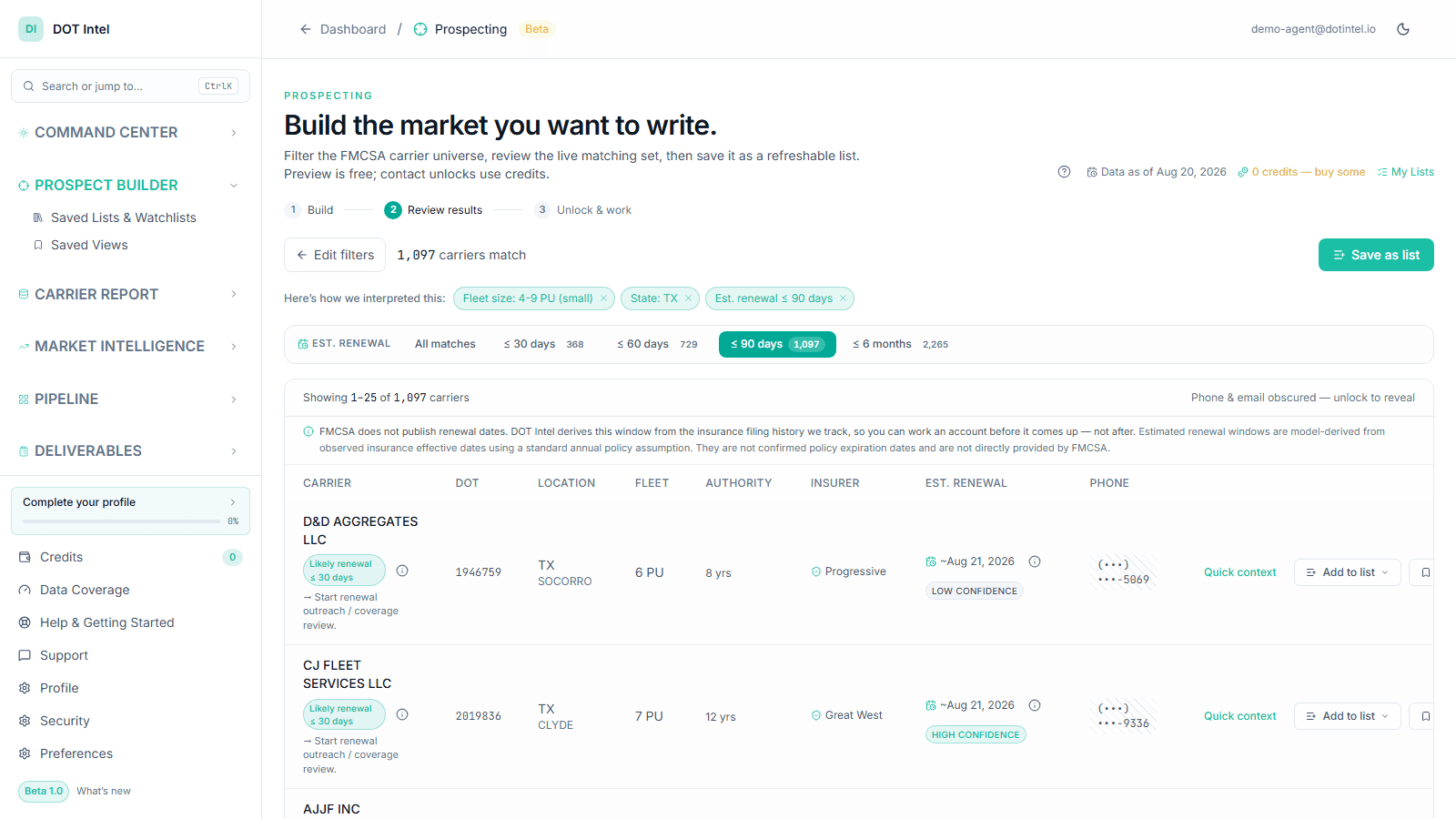
Mart-backed search across the FMCSA universe by state, ZIP, fleet size (1–3 / 4–24 / 25+ power units), insurer, estimated renewal window, and observed coverage-change signals — every result carrying a deterministic lead reason and a recommended next step.
Carrier corpus search & filter
Search the FMCSA universe by name, DOT, state, fleet size, or insurance status. Drill into the full carrier profile in two clicks.
Insurer parent / child rollup
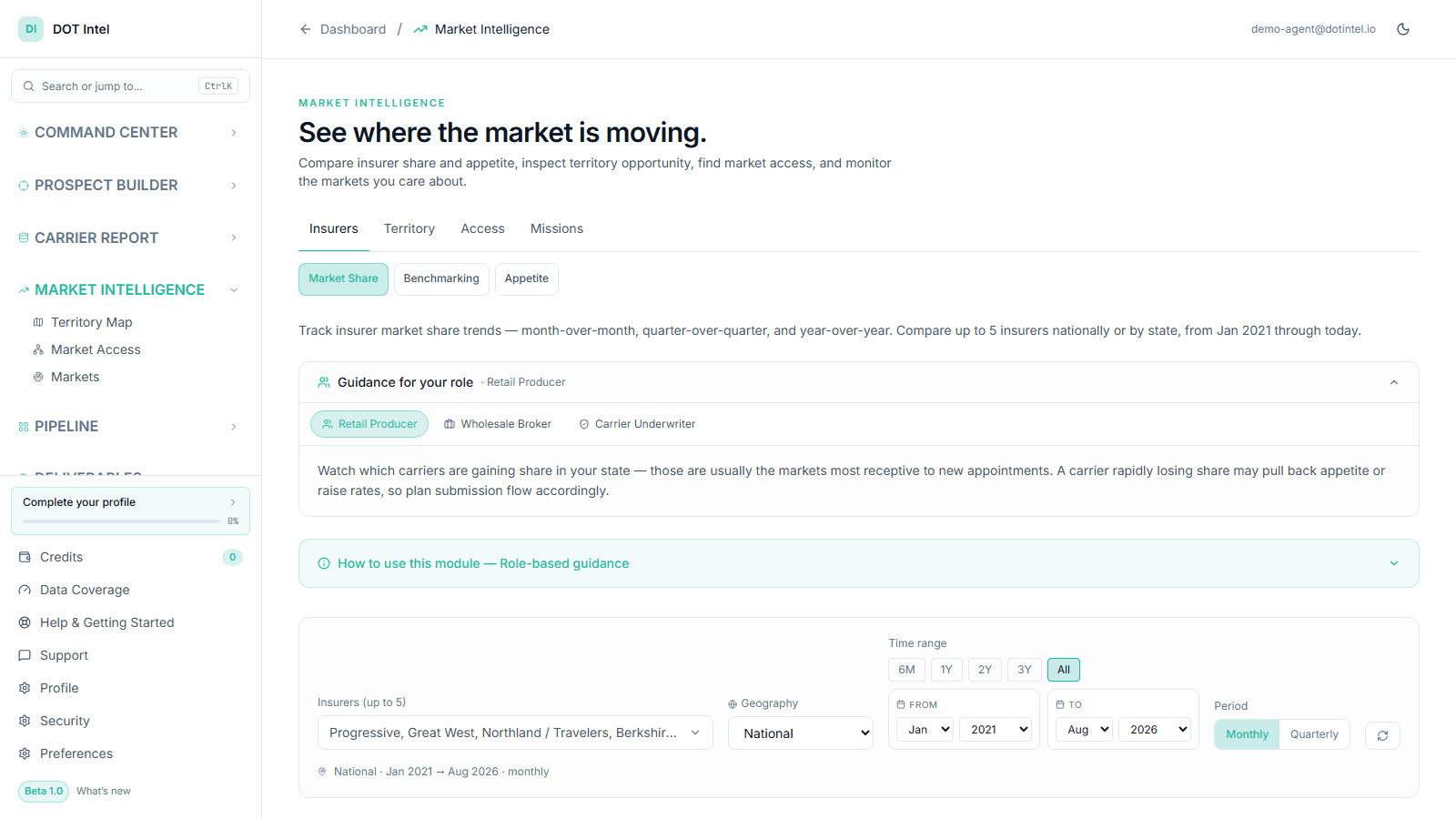
See who actually carries each policy under the insurer family tree — Progressive, Great West, Berkshire Hathaway, and 50+ child brands mapped to their parents.
Fleet sizing intelligence
Power-unit band distributions across the corpus. Owner-op, small fleet, mid-fleet, or 100+ PU — see how each band is concentrated by state and insurer.
Cancellation & filing signals
Every insurance cancellation and new filing in the FMCSA stream. Identify carriers with no current coverage today, not after a competitor finds them first.
Authority & safety lookup
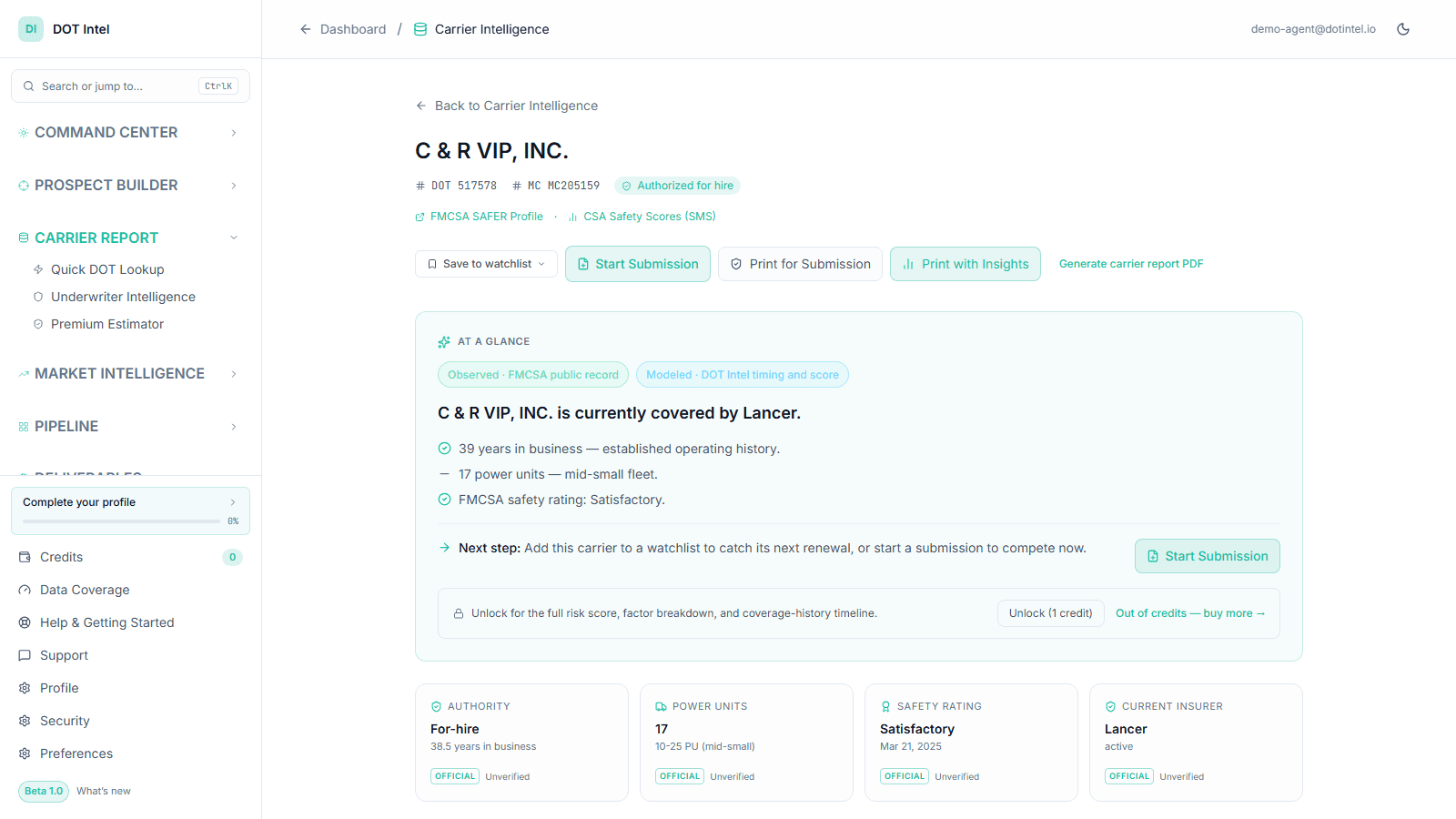
Granted dates, ratings, operation classification, hire authorization, and inspection history. Full underwriting context in one view.
Territory density mapping
Top states by carrier count, click-through to filtered carriers, see where supply outpaces (or underwhelms) competitor distribution.
Recently Shipped
Now available
Informed by Q2 customer conversations and working-group feedback. These modules are live in the dashboard and being polished against active customer use.
CRM + Email
The built-in Command CRM — capture links, a drag-and-drop pipeline, tasks, and daily signals — with email that sends from your own agency domain.
Live nowSubmission Desk → underwriter
Build a trucking submission packet (typed or Excel-imported) and send it to the underwriter from your own domain in one click, packet attached.
Live nowUnderwriter Intelligence
Automated FMCSA risk profile on every submission — authority, safety, and filing history pulled in seconds for instant triage.
Benefits by Team
What each team gets from DOT Intel
Distribution Leaders
Territory planning backed by fleet population data and competitive density, not last year's production numbers.
Underwriting Teams
Faster submission triage with pre-populated FMCSA data, safety scores, and authority status.
Territory Managers
Walk into every agency meeting with market-specific intelligence about competitors, fleets, and opportunities.
Agency Development
Targeted recruitment lists based on agency production patterns and territorial alignment.
Producers
Prospect fleets with expiring coverage before the competition knows the policy is cancelling.
Product Leaders
Size market opportunities and validate new program designs against real fleet population data.
FAQ
Common questions about DOT Intel
DOT Intel ingests data from FMCSA regulatory filings, including carrier authority records, insurance filings, safety ratings, inspection history, and the Company Census. Data is refreshed daily from Socrata API feeds and supplemented with periodic MCMIS downloads for specialized datasets.
Core datasets — carrier authority, insurance filings, and the Company Census — are refreshed daily from FMCSA's Open Data feeds. Some specialized datasets (e.g., safety/inspection history) update on a weekly or event-driven basis. Observed cancellation signals appear in the next daily refresh after FMCSA publishes the filing.
No — DOT Intel includes the Command CRM (lead-capture links, a pipeline board, tasks, and daily carrier signals) and lets you send email from your own agency domain, so lookups, leads, follow-up, and underwriter submissions all live in one place. You can also export any list to CSV for use elsewhere. External CRM sync (Salesforce, HubSpot) and API access are on the roadmap for larger teams.
The current release focuses on commercial trucking and transportation, where FMCSA data provides the richest intelligence. Expansion into workers compensation and broader commercial auto is on the roadmap.
Checking FMCSA directly gives you one carrier at a time. DOT Intel monitors the entire market continuously, surfaces patterns across carriers and territories, and delivers intelligence as actionable signals rather than raw regulatory records.